
Webhook Integration
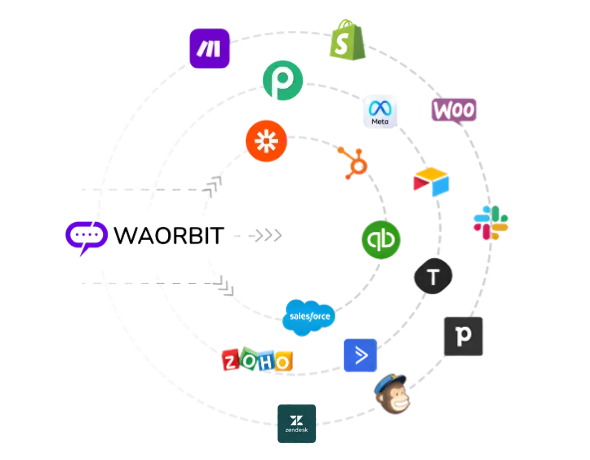
Connect WA Orbit to your own systems in real time. Receive event notifications via HTTP POST requests to your endpoint — CRMs, data warehouses, Zapier, Make, n8n, or any HTTPS endpoint.
Overview
Outbound webhooks let WA Orbit push events out to your own systems in real time — a CRM, a data warehouse, Zapier, Make, n8n, or any HTTPS endpoint. Whenever an event you've subscribed to happens in your workspace, WA Orbit sends a JSON request to your URL, optionally signed so you can verify it really came from WA Orbit.
Manage them under More → Webhooks. Webhooks are shared across the whole workspace: every member sees every endpoint, no matter who created it. When an event happens, WA Orbit delivers it to every active endpoint in that workspace that subscribed to the event (or to the wildcard *).
Creating an Endpoint
Click Add a webhook on the index and fill in the form. The right rail shows a live sample payload and a Test fire action so you can wire up and validate your receiver before any real event arrives.
| Field | Required | Notes |
|---|---|---|
| Webhook URL | Yes | The address WA Orbit sends to. Must be a valid URL — use HTTPS. Stored encrypted. |
| Method | No | The HTTP method used to deliver — POST (default) or PUT. |
| Internal name | No | A label to recognize the endpoint, e.g. "Production CRM relay". Up to 191 characters. |
| Environment | No | A free-text tag for organizing endpoints (defaults to Production). |
| Events | Yes | Pick at least one event. See Event Types below. |
| Signing secret | No (recommended) | Used to sign each delivery so you can verify it. Stored encrypted. |
| Status | No | Whether the endpoint is active when you save. On by default. |
Everything Sensitive Is Encrypted
The URL, the secret, and the event list are all encrypted in the database and only unlocked in memory at the moment a delivery is sent — so a database leak won't expose your endpoints or secrets.
Event Types
These are the events you can subscribe an endpoint to. Subscribe to any subset — an endpoint only receives the events in its list.
| Event | Fires When |
|---|---|
message_received | An inbound message is received from a contact. |
message_sent | An outbound message is accepted for sending. |
message_delivered | An outbound message is delivered to the recipient's device. |
message_read | An outbound message is read (recipient has read receipts on). |
message_failed | An outbound message fails to send — payload carries the failure reason. |
broadcast_created | A broadcast is created. |
broadcast_status_updated | A broadcast's overall status changes. |
broadcast_message_status_updated | A single broadcast recipient's message changes status. |
campaign_created | A campaign is created. |
campaign_status_updated | A campaign's status changes. |
campaign_contact_status_updated | A campaign contact's status changes. |
campaign_contact_clicked | A campaign contact clicks a tracked link. |
campaign_contact_replied | A campaign contact replies. |
contact_opt_in | A contact's subscription state changes — opt-in or opt-out. Payload carries opted_in, action, and source. |
contact_updated | A contact record is edited from the contact detail screen. |
device_status_updated | A device's connection status changes (connected / disconnected / pairing). |
Wildcard Support
Subscribe an endpoint to * to receive every event type, including any added in future releases. Use it as a catch-all.
Delivery Payload
Every delivery is a JSON body with the same outer "envelope" for all events; the event-specific fields live under data. The request is sent with Content-Type: application/json.
Envelope
| Key | Type | Meaning |
|---|---|---|
id | string (UUID) | A unique ID for this delivery. Use it for idempotency / de-duplication. |
event | string | The event name, e.g. message_delivered. |
eventType | string | Same value as event (provided for receivers that key on either name). |
created | string (ISO-8601) | When WA Orbit built the payload, e.g. 2026-05-29T18:32:08+00:00. |
timestamp | integer (Unix) | Event time in seconds. |
data | object | The event-specific payload (fields vary by event). |
Example — message_delivered
POST /your/endpoint HTTP/1.1
Host: api.yourbrand.example
Content-Type: application/json
X-WAOrbit-Signature: 9f86d081884c7d659a2feaa0c55ad015a3bf4f1b2b0b822cd15d6c15b0f00a08

{
  "id": "3a8f7e2c-91b5-4d0f-a7a1-d6c8e4b9f2c0",
  "event": "message_delivered",
  "eventType": "message_delivered",
  "created": "2026-05-29T18:32:08+00:00",
  "timestamp": 1780000328,
  "data": {
    "workspace_id": 42,
    "user_id": 7,
    "message_id": 918273,
    "wamid": "wamid.HBgLOTE5ODc2NTQzMjEwFQIAERgSM0E...",
    "recipient": "+919876543210",
    "status": "delivered",
    "timestamp": 1780000328,
    "error_code": null,
    "error_reason": null,
    "pricing": { "billable": true, "category": "marketing" },
    "conversation": { "id": "abc123...", "origin": { "type": "marketing" } }
  }
}
Signing & Verification
If you set a signing secret on an endpoint, every delivery includes this header:
X-WAOrbit-Signature: <hex> The value is HMAC-SHA256 computed over the exact JSON request body, using your endpoint's secret as the key, encoded as lowercase hex.
Verifying in Node.js
const crypto = require('crypto');
const expected = crypto
  .createHmac('sha256', SECRET)
  .update(req.rawBody)
  .digest('hex');
const given = req.get('X-WAOrbit-Signature') || '';
const ok = expected.length === given.length &&
  crypto.timingSafeEqual(Buffer.from(expected), Buffer.from(given));
if (!ok) return res.status(401).end();
Verifying in PHP
$expected = hash_hmac('sha256', $rawBody, $secret);
$given    = $_SERVER['HTTP_X_WAORBIT_SIGNATURE'] ?? '';
if (!hash_equals($expected, $given)) {
  http_response_code(401);
  exit;
}
Verify Before You Parse
Always compute the HMAC on the raw body bytes — re-serializing the parsed JSON can reorder keys or change whitespace and break the signature. Compare in constant time. Keep the secret confidential.
Delivery, Retries & Health
Each delivery is a single HTTP request with a 10-second timeout. A delivery counts as successful on any 2xx response; anything else counts as a failure.
An endpoint is automatically marked as failing after three failures in a row. It keeps receiving events while failing — the flag is just a health warning, not a pause.
| State | Meaning |
|---|---|
| active | Enabled and not flagged — delivering normally. |
| failing | Enabled but recent deliveries are erroring. Still receives events. |
| paused | Disabled — receives no events at all. |
Best Practice
Design your receiver to be idempotent and fast. Respond 2xx immediately and do heavy work asynchronously. De-duplicate on the envelope id.
Monitoring & Analytics
The Webhooks index gives you a live health overview across all endpoints in the workspace:
- Endpoints — total configured, plus active / paused counts.
- Events fired (24h) — deliveries in the last day.
- Success rate — percentage of 2xx responses over the last 24h.
- Latency p95 — 95th-percentile delivery latency.
- Event mix — the top events by volume over 24h.
- Recent deliveries — a feed of the latest attempts with their status codes.
Managing & Test-firing Endpoints
For each endpoint you can:
- Test fire — send a sample payload and see the live status code and latency.
- Toggle — pause or resume the endpoint.
- Edit — change the URL, events, secret, method, name, or environment.
- Delete — remove the endpoint and stop all deliveries to it.
Tip
After editing an endpoint, run Test fire to confirm your receiver still accepts the payload and the signature before relying on live events.
Inbound vs Outbound
These are two completely different things — keep them straight:
Shopify
Sync orders, recover abandoned carts, and send shipping updates via WhatsApp automatically.

WooCommerce
Automate WordPress store notifications and customer support flows natively.

HubSpot
Log WhatsApp conversations in CRM and trigger workflows based on messages received.
Slack
Get WhatsApp message alerts and notifications delivered to your Slack channels.